Snowflake Components
Snowflake Components
Whilst the design system strives to offer consistency and reusability, there are always scenarios the system cannot serve. Instead of forcing consumers to stay within the limitations of the system, this documentation exists to support and guide consumers when these scenarios arise — enabling consumers to create solutions that address specific, unique requirements and encourage a feedback loop back to the system for continued optimization.
What are snowflakes?
Snowflakes refer to unique components that are needed to build a product, not intended for reuse beyond this and therefore not part of the design system. This documentation provides guidance on how to create snowflakes in a systematic way, so that snowflakes can be identified and understood by designers and developers, and can contribute to the design system where gaps exist.
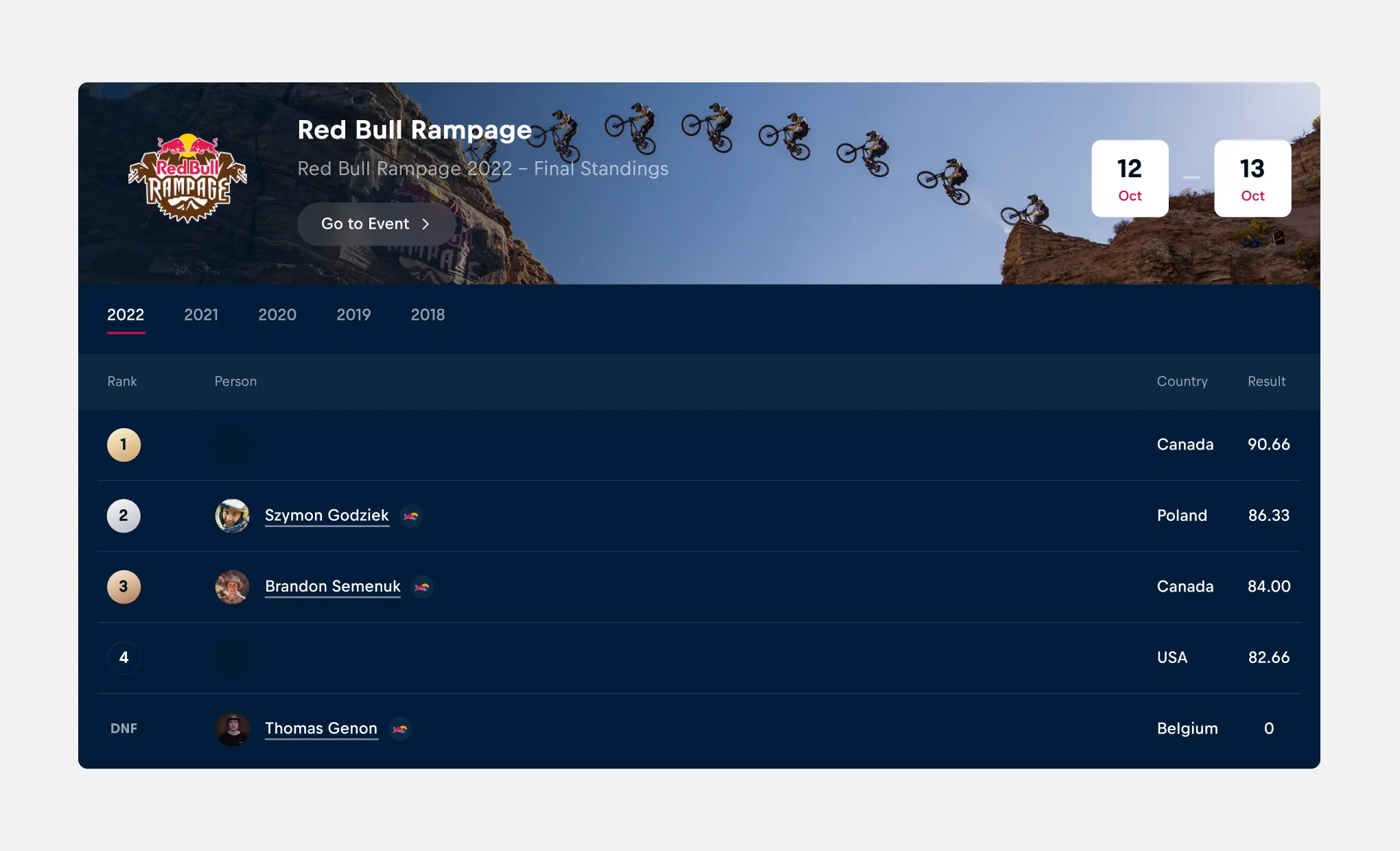
When to create a snowflake
Deciding to create a snowflake component should consider the impact and effort of doing so. Is the snowflake absolutely necessary for the product to function or to provide the required user experience? A poor rationale for creating a snowflake component could include vanity/styling reasons, where customization of an existing component would be possible.
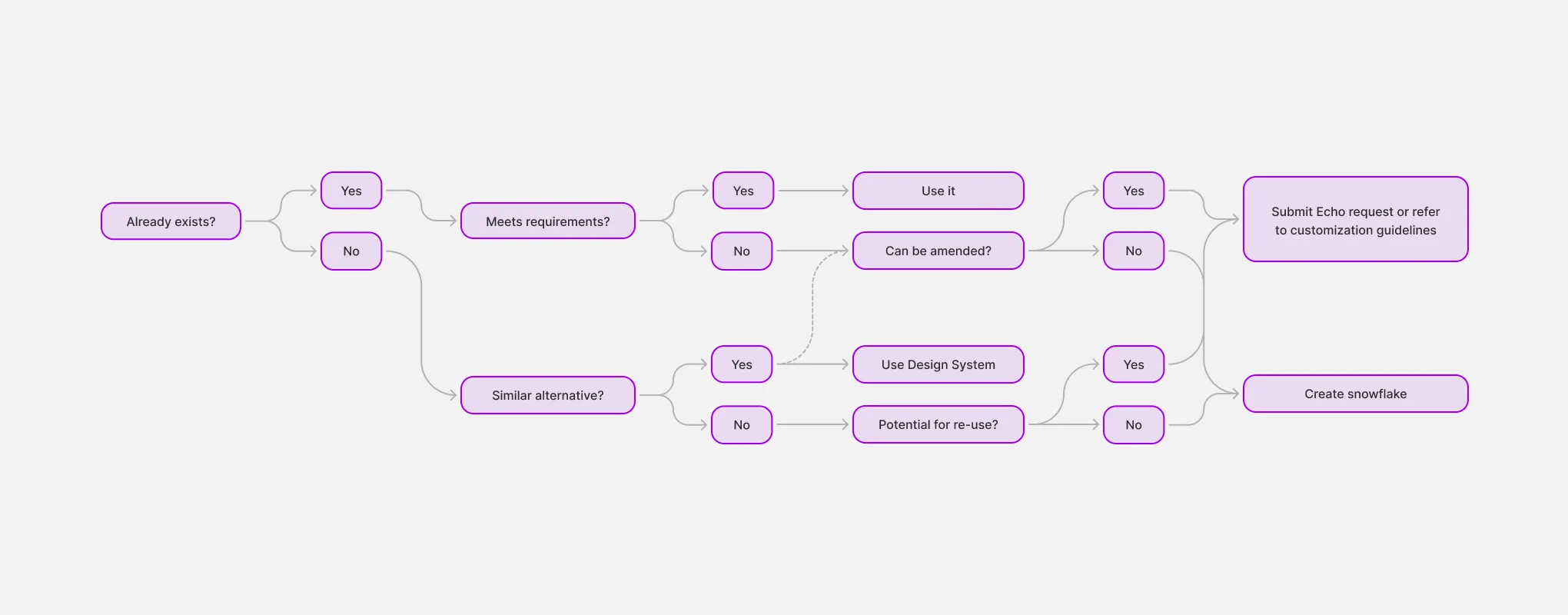
The following decision tree provides guidance on whether creating a snowflake is the appropriate course of action. Engaging with the design system team via Echo to throughout this process crucial.
How to create a snowflake
Whilst creating a snowflake component itself is a deviation from the design system, there are a number of steps to take to ensure snowflakes can be designed and managed in a sustainable way. Considerations such as where to document snowflake components, how to design them and preparing them for Engineering handover.
Designing snowflakes
When designing snowflake components, it's often possible to utilize existing resources to minimize the recreation of unique and new elements.
Nesting existing components
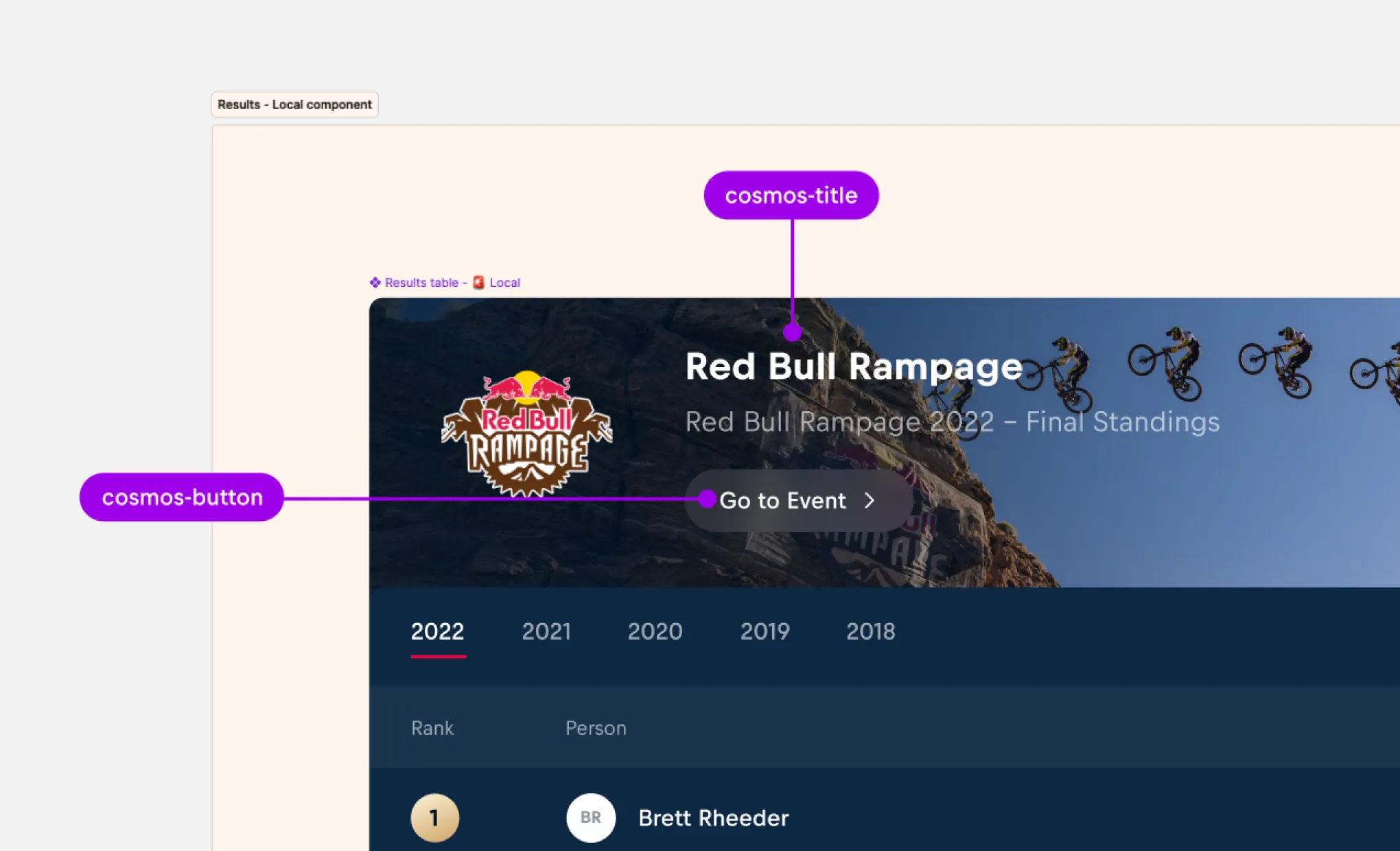
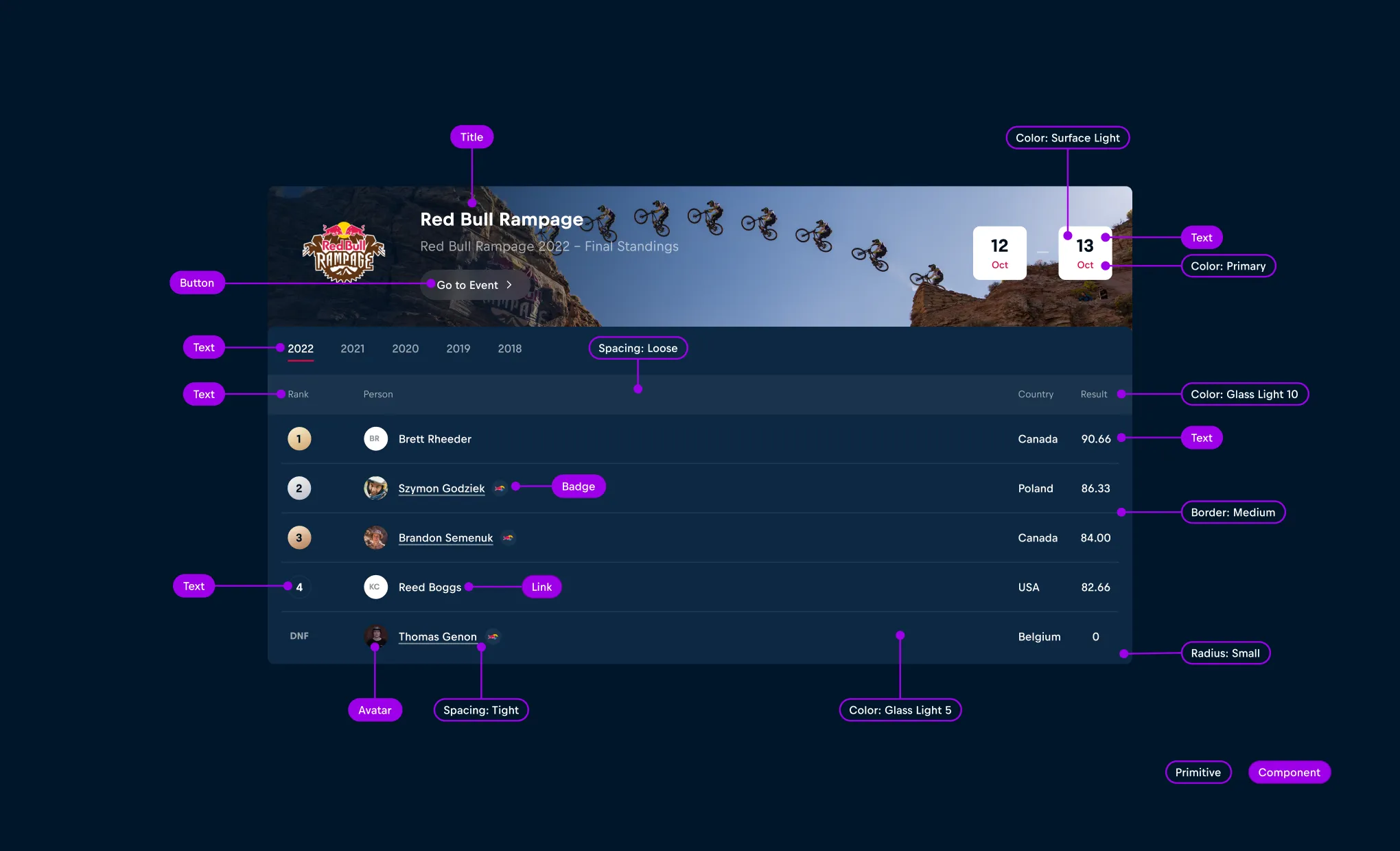
When creating complex, pattern-level snowflake components, nest existing components from the design system. For example, the results table component below utilizes the cosmos-title and cosmos-button components.
Re-using foundational primitives
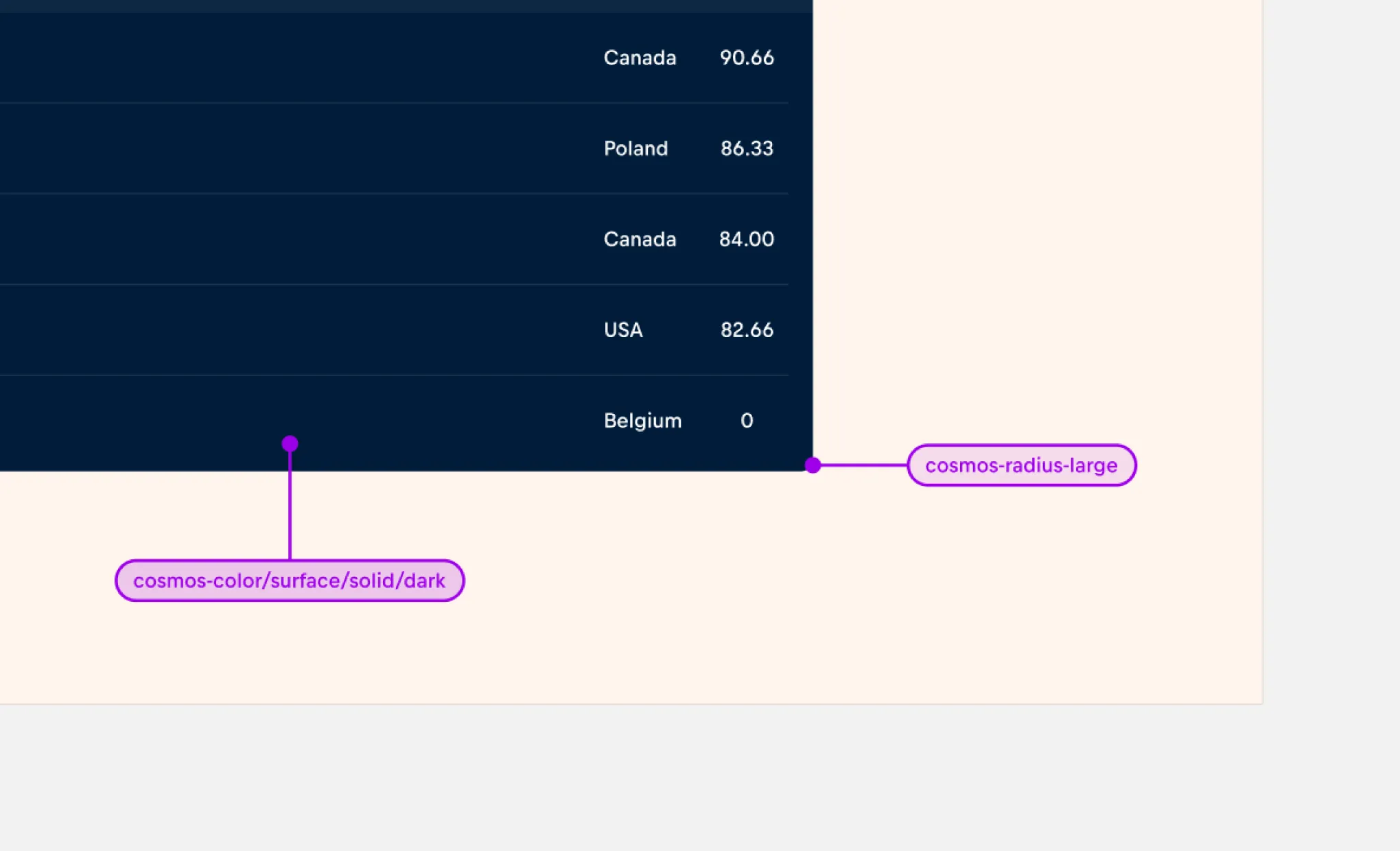
When the reuse of existing components is not appropriate, utilize foundational primitives such as color, size, and radius from the design system to maintain consistency and alignment with the design system whilst reducing the need for unique styling.
Naming and structure
To improve the developer experience, aim to keep the naming of component layers clear and concise, using kebab-case format.
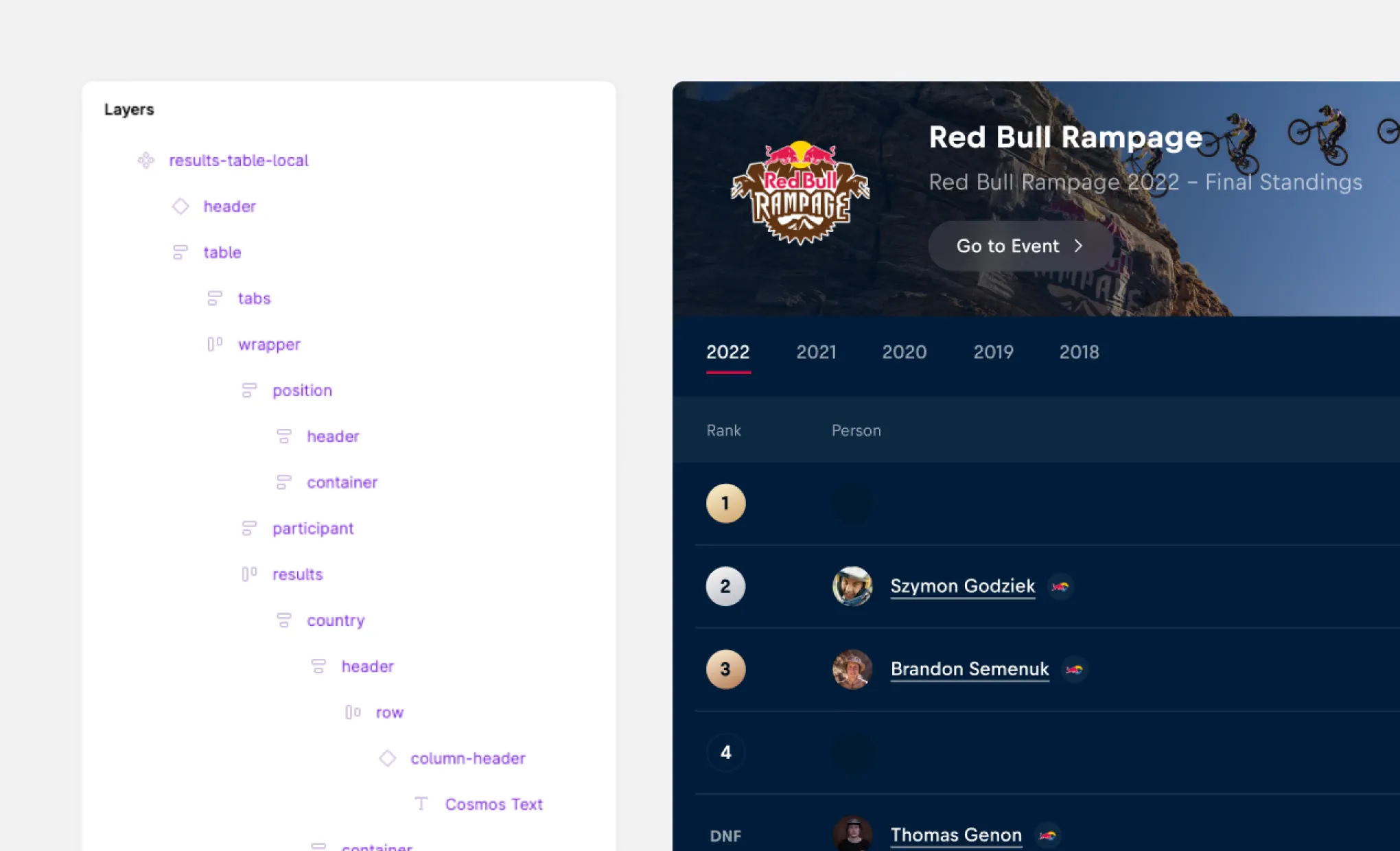
When constructing properties in Figma, collaborate with Engineers to define predictable property names which are consistent with components from the design system.
Documenting snowflakes
For use in single projects
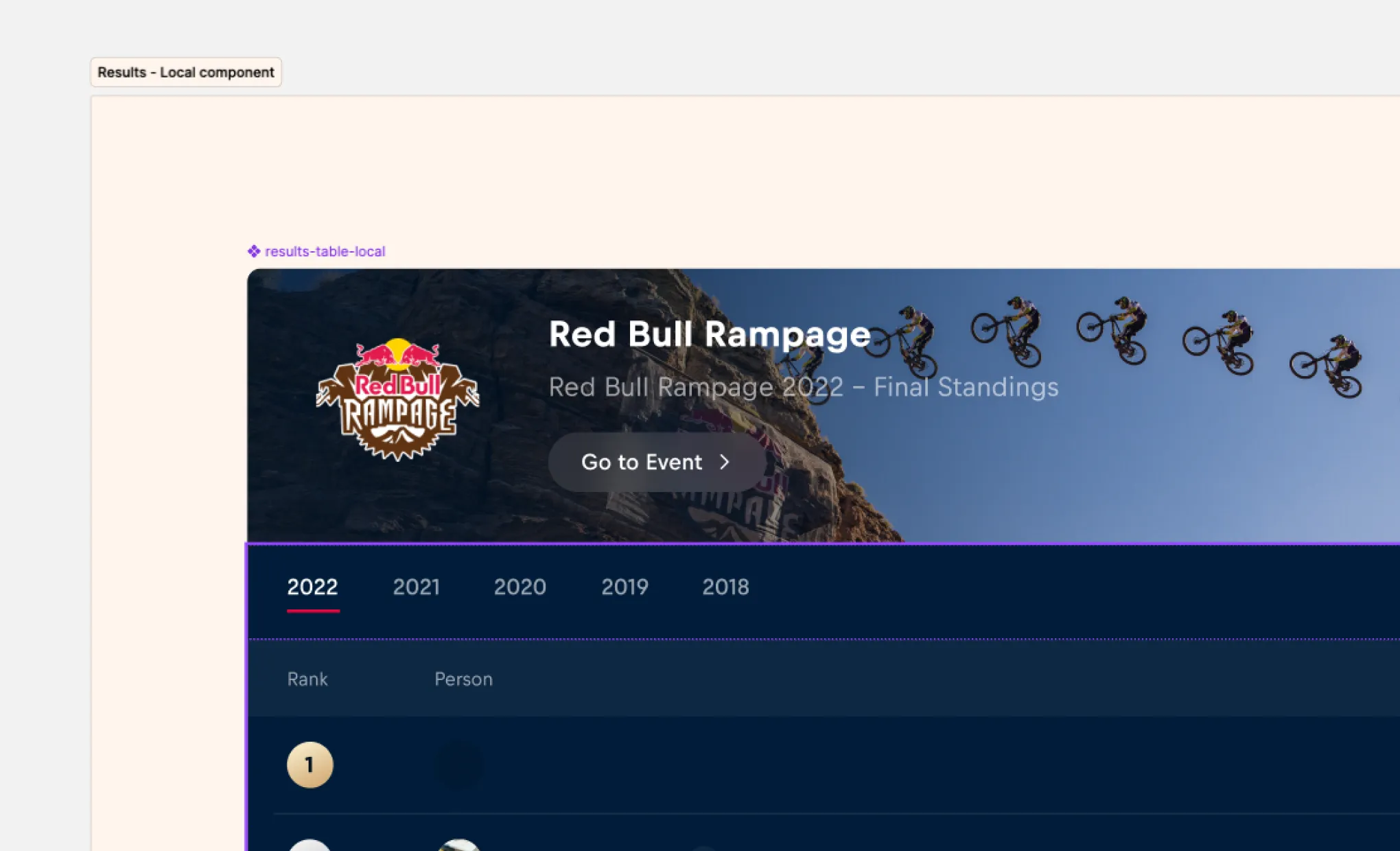
Create a page named ❖ Local components in your working file to house your local components. This makes it clear as to which components exist at a local level only.
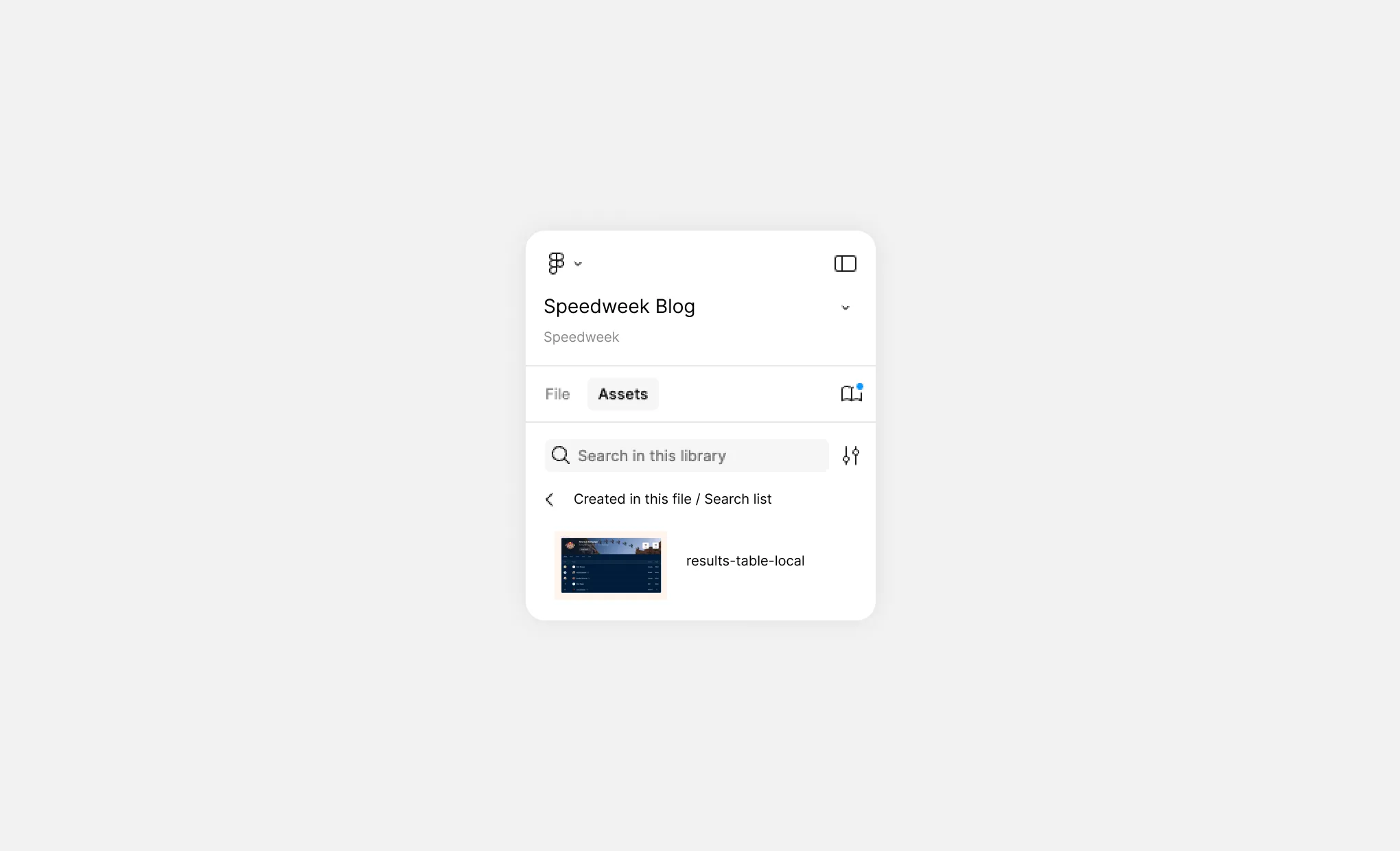
Name snowflake components with the ‘-local’ affix. This makes it easily identifiable by others that the component is local and not part of the design system.
For use in multiple projects
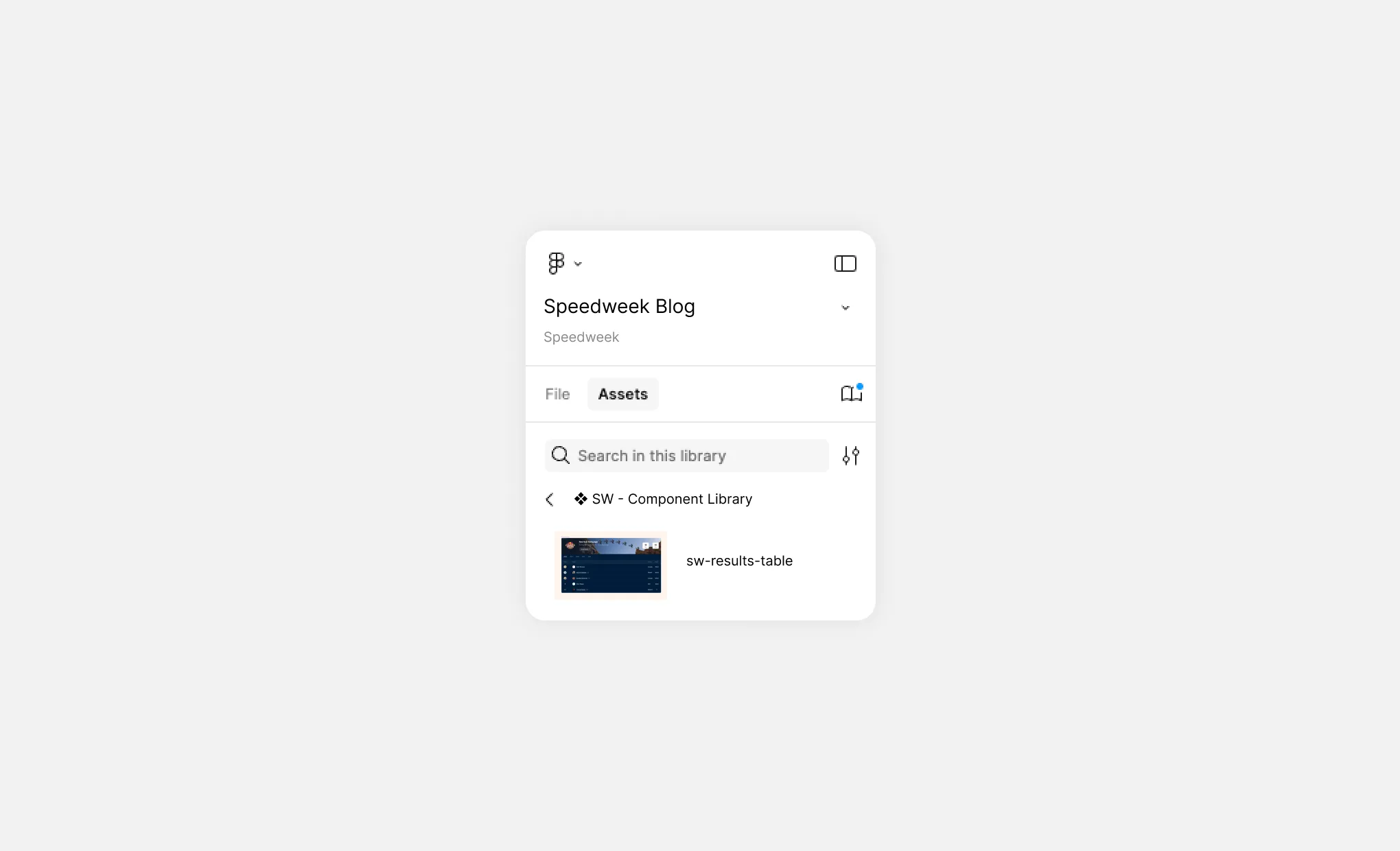
Snowflake components that need to be re-used across multiple project files should be stored within a snowflake component library, which can then be published to the relevant teams in Figma.
Prefix snowflake component library names with the project initials "❖ XX - ', so it's clear to designers and engineers where snowflake components are from.
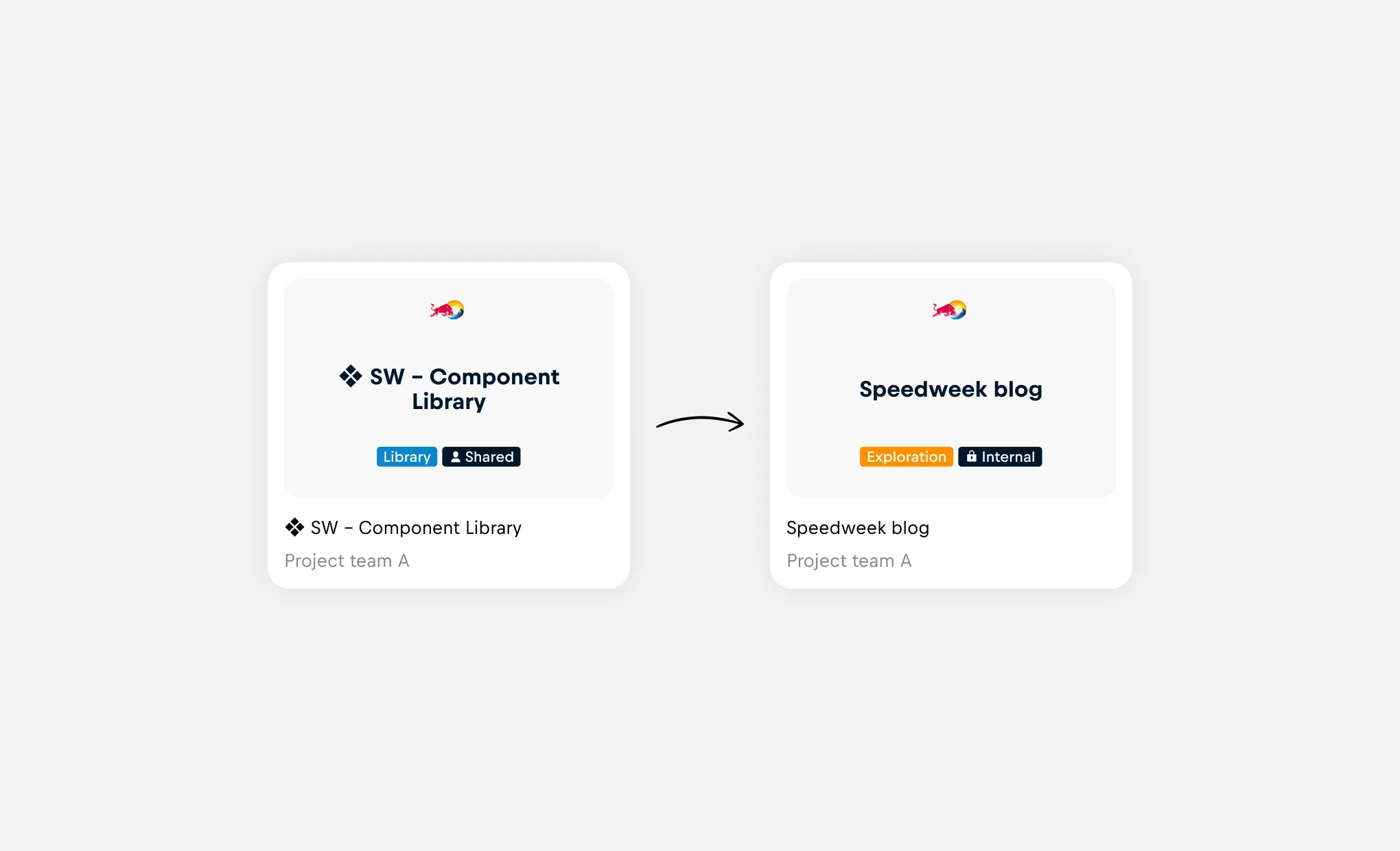
Additionally, affixing snowflake components with the library initials clarifies to consumers where a snowflake component is from.
Handover to Engineering
Design specifications are an important aspect of component design and communication to developers. Use design specifications to explain the details of the component such as the variants and states, anatomy and behavior of the component.
Whilst Developers can inspect the component to identify nested components and primitives, visually annotating an snowflake instance simplifies the handover to Engineering.
Sharing snowflakes
Engaging with the Design System team early and often is always preferred to ensure identified gaps are validated and alternative solutions can be explored.
Raising awareness of new snowflake components enables the Design System team and product teams to monitor for the recurrence of similar snowflake components, which is integral to identifying a potential need for the design system to provide for.
Use the General channels in Teams for the respective Design Systems to raise share and gather feedback on snowflake components.