Design
Design
The design Primitives of Cosmos Foundation in Figma are found as components and styles, available to all designers through a shared Figma library called Cosmos Foundation.
New to Figma? Here's a comprehensive guide to using libraries.
Library Access
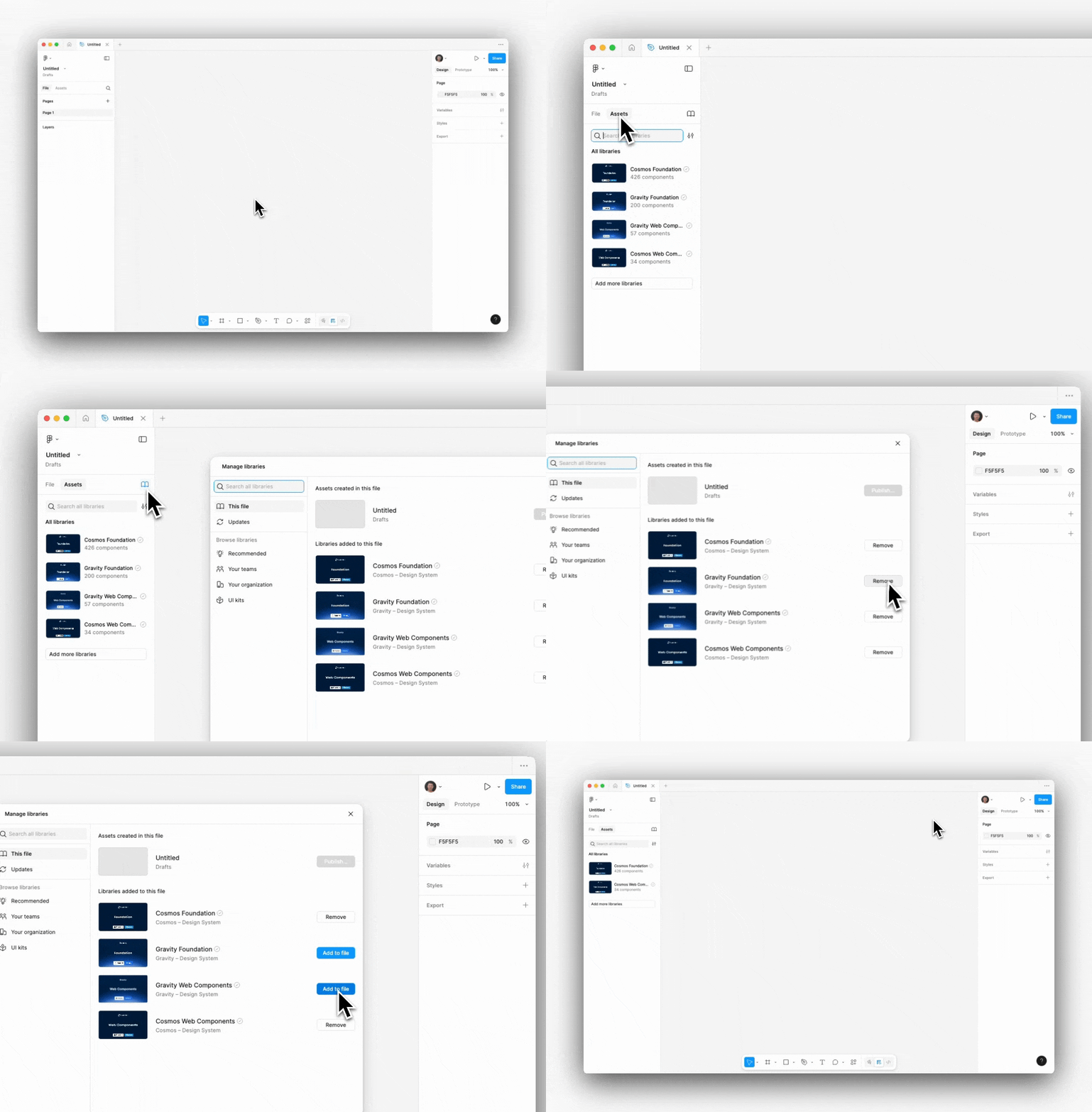
Access the Library overview from the Asset Panel in a Figma file where the Cosmos Foundation and Cosmos Web Components libraries are avaible by default.
☝️ Pro tip
Cosmos and Gravity are available by default, ensure you correctly turn off the libraries not required beforehand.
Primitive Library Updates
Design Systems are living organisms. Every new release comes with a change log that will help make informed decisions when updating project files:
🚀 RELEASE (default) | Marks a new component added to the Cosmos Web Components Library |
|---|---|
✨ UPDATE | Marks non-breaking updates to an existing component |
❗️ BREAKING | Marks a breaking update to a current component |
🐛 BUG FIX | Marks a critical bug fix to a current component |
🚫 DEPRECATED | Marks a component that was previously available and will now be deprecated |
Please keep primitives up-to-date by routinely checking for library updates when opening design files. Library updates trigger a notification in the bottom right corner of Figma, allowing (reviewing and) applying updates to designs.
It is always recommended to use Figma’s new Update dialogues that allows previewing of the changes before updating a library file in a design.
Ready to learn more? Get familiar with Cosmos Web Components.